HomeWork
Lil Thai Express
A family-owned Thai restaurant with no website and no menu online. Now customers see the menu, the hours and the way in before they call.
Before
What a customer found when they searched.
Before we talk price, we look the business up the way a customer would and write down what comes back. For Lil Thai Express, the food had good reviews and almost nothing else online.
| Website | None found |
|---|---|
| Online menu | Not available anywhere online |
| Google hours | Listed but unverified |
| Google photos | 10 photos, all customer uploads |
| Google reviews | 4.2 stars, 343 reviews |
The site
Built on Hearth, filled with their own food.
Every photo on the site is the restaurant’s own. The menu came off the printed menus, item by item, with lunch and dinner prices.
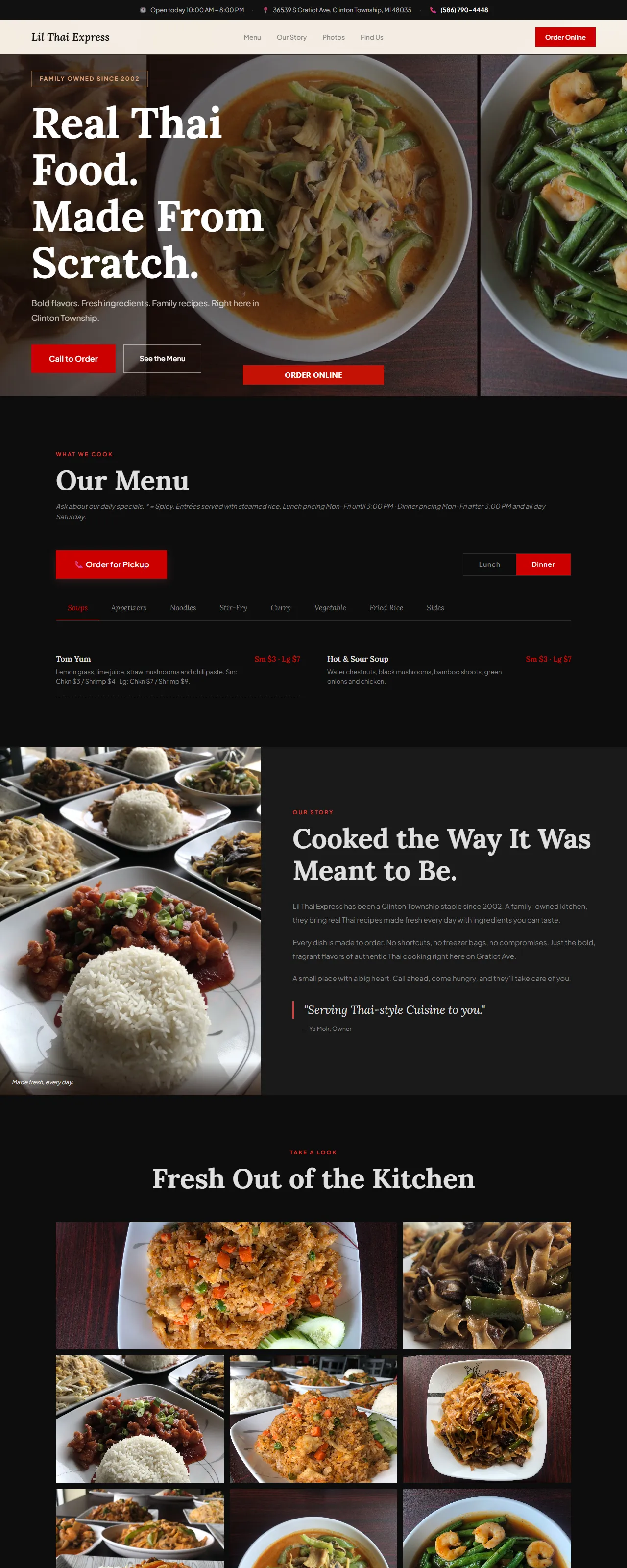
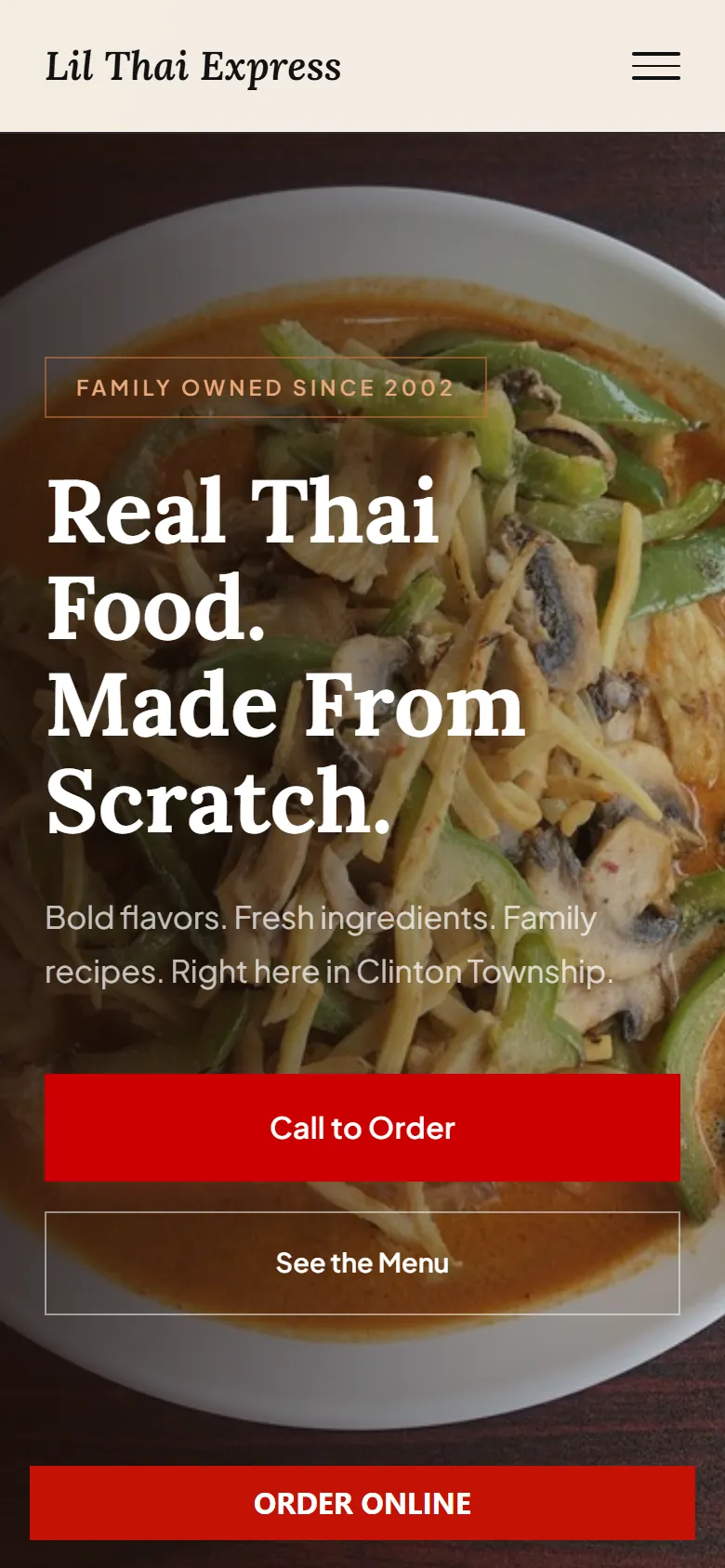
Scroll inside the window to see the page. On a phone, Call to Order is the first button.
Build log
Live on day one, then kept current.
Each change went out as its own update, dated, so there is always a record of what changed and when.
-
Live on lilthaiexpress.com
First version published on the restaurant’s own domain.
-
The whole menu, online for the first time
Typed up from the printed menus: 8 categories and more than 38 dishes. Lunch and dinner prices switch on their own: lunch before 3 pm on weekdays, dinner after 3 and all day Saturday.
-
A hero made from their own dishes
Three of the restaurant’s photos, side by side, instead of stock images. The owner’s hours, story and social links from the intake form.
-
Set up for search
A sitemap, and structured data that tells Google the cuisine, price range and opening hours.
-
Hours changed, site changed
Weekday opening moved from 9 to 10 am, and a new photo from the restaurant joined the gallery.
-
Online ordering
DoorDash ordering wired in, with an Order Online button in the menu bar as DoorDash requires.
What they have now
Their name, their domain, their menu.
- Domain
lilthaiexpress.com
Registered to the restaurant, not to us.
- Menu
Every dish, both prices
Readable on a phone, and the right price for the time of day.
- Ordering
One tap to order
Call to Order on the first screen. Order Online in the menu bar on a laptop, and as a button along the bottom on a phone.
Contact
Talk to the person who builds it.
Call or email Tanner. Tell us about your business and we’ll tell you which plan fits, including when Starter is all you need.